Input list: what it is, example and free template
An input list is the numbered list of everything that goes into the mixing desk: every mic and every DI, each with its channel number. It's the part of the technical rider the house engineer reads first. They count the channels, check they fit the desk and the stage box, and start planning the patch before you arrive.
This guide was written by musicians and sound engineers.
Which columns it needs
- Channel. The number it will have on the desk.
- Source. What is on that channel. For vocals, better with the singer's name.
- Mic or DI. The model you ask for, with «or similar» if an equivalent is fine.
- Stand. Short, short boom, tall boom, straight, clip. This tells the venue how many stands to put out.
- Phantom. Whether that channel needs 48 V: condenser mics and active DI boxes.
- Notes, if needed: «we bring our own», «monitors only».
Example: input list for a four-piece band
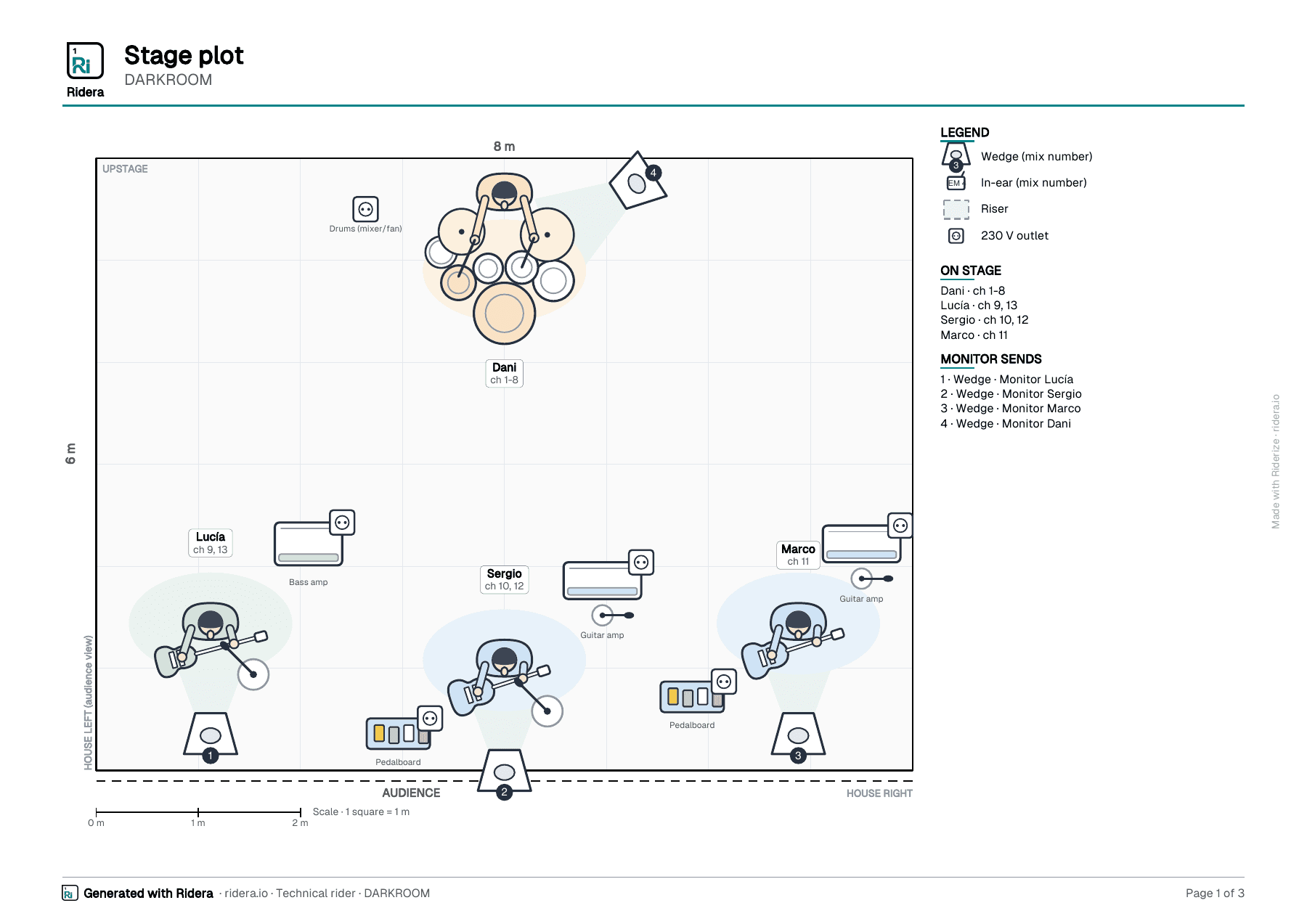
Drums, bass and two guitars. One of the guitarists sings and the bassist does backing vocals. No engineer of their own.
DARKROOM · input list (13 channels)
| Ch | Source | Mic or DI | Stand | Phantom |
|---|---|---|---|---|
| 1 | Kick | Shure Beta 52A or similar | Short stand | No |
| 2 | Snare Top | Shure SM57 or similar | Short boom stand | No |
| 3 | Snare Bottom | Sennheiser e604 or similar | Rim clip | No |
| 4 | Hi-Hat | Shure SM81 or similar | Short boom stand | Yes |
| 5 | Tom | Sennheiser e904 or similar | Rim clip | No |
| 6 | Floor Tom | Sennheiser e904 or similar | Rim clip | No |
| 7 | OH L | AKG C414 or similar | Tall boom stand | Yes |
| 8 | OH R | AKG C414 or similar | Tall boom stand | Yes |
| 9 | Bass | DI (amp output or DI box) | — | Yes |
| 10 | Electric guitar (amp) | Shure SM57 or similar | Short stand | No |
| 11 | Electric guitar (amp) | Shure SM57 or similar | Short stand | No |
| 12 | Lead Vocal (Sergio) | Shure SM58 or similar | Tall boom stand | No |
| 13 | Backing Vocal (Lucía) | Shure SM58 or similar | Tall boom stand | No |
13 channels. It fits a 16-channel desk with room to spare, which is what you'll often find in a bar or a small venue.
Why that order
Inputs are numbered the same way almost everywhere: drums from the bottom up (kick, snare, hi-hat, toms, overheads), then percussion, bass, guitars, keys, horns and the vocals last. The engineer has the desk laid out in that order, and if your list follows it the patch practically writes itself. If you leave that order, do it for a reason and make it obvious.
What gigs teach you
- Stereo sources take two channels. A stereo keyboard is two DIs and two channels (L and R). A DJ controller or backing tracks from a laptop, the same. Count them properly: it's where lists go wrong most often.
- Active or passive DI. An active DI needs phantom power; a passive one doesn't. If you bring your own DI, write it down: it's one box less for the venue to find.
- «Or similar» helps. Every venue has its own mic locker. Ask for an SM57 «or similar» and the engineer puts up what they have without calling you. If one mic really can't change (usually the lead vocal), mark only that one.
- Name the vocals. «Vocal Sergio» is easier to find than «Vocal 2» when someone has to be turned up in the middle of a song.
- What can go. If the desk is tight, the first channels to drop are usually the snare bottom, a second tom or the overheads reduced to one. If you don't mind, say so. It saves a phone call.
- Click on its own. If you play with tracks and click, the click gets its own channel and goes only to your monitors. Say so in the note, because if it reaches the PA the whole room hears it.
- How each singer sings. Boom stand if they play and sing; straight stand if they hardly move; wireless handheld or headset if they roam the stage. It changes the stand you ask for and, with a headset, the phantom.
Template to copy
Copy it into your document and fill in one row per channel:
Input list template
| Ch | Source | Mic or DI | Stand | Phantom | Notes |
|---|---|---|---|---|---|
| 1 | |||||
| 2 | |||||
| 3 | |||||
| … |
Add the monitors underneath (one mix per musician) and a stage plot with the same channel numbers. To see everything together, here's a complete technical rider example.
Or make it free with Riderize
If you'd rather not fight with the table, Riderize builds it from your line-up. You tell it who plays what and who sings, and it proposes the list already numbered in that order, with a suggested mic and equivalents, stand and phantom on each channel. Then you can rename channels, change mics, add the odd channel every band has and mark which ones are essential. It also works out the total mic stands and the multicore lines.
The list in the example above is exactly what its «Rock / indie (4)» template proposes. There are templates for other line-ups too: trio, singer-songwriter, band with horns, DJ and more. It's free, no card; at the end it asks for an email to save the rider.